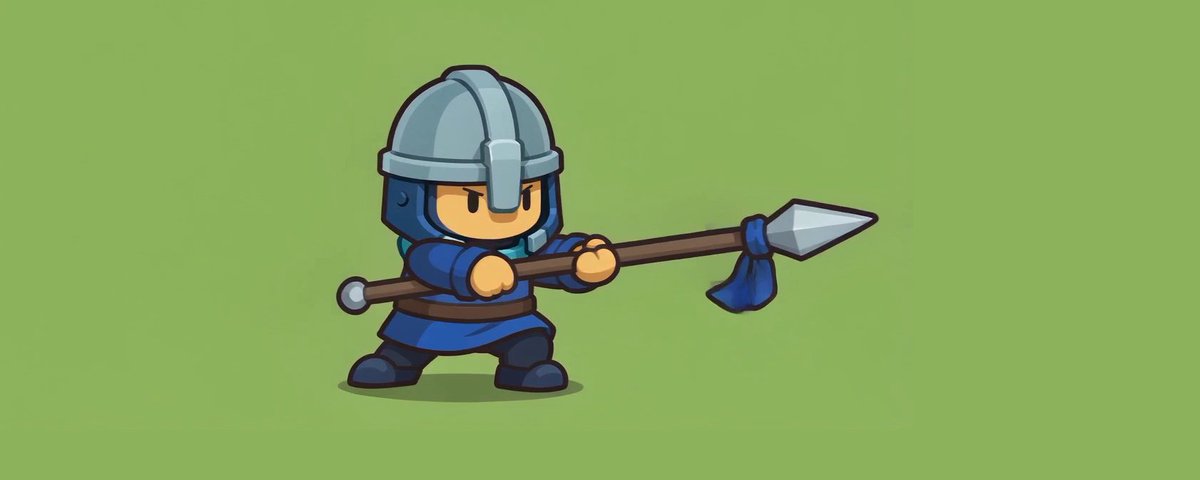
最近这段时间,我为了生成游戏角色动作,几乎把各种 AI Skill 都尝试了一遍。
最后总结下来:
直接使用 AI Skill 生成角色动作,确实是最快的方法。
一句 Prompt,就可以直接生成 Idle、Walk、Run、Attack,效率比以前手动调整高太多。
但是它有一个问题:
需要一点运气。
尤其是角色本身的原稿结构比较复杂,或者角色手上拿着武器的时候,问题会特别明显。
例如长剑、长枪、盾牌这些武器,经常会出现:
有时候不断修改 Prompt、不断调整、不断抽卡几十次,最后依然未必能够得到满意的结果。
所以这几天不断测试之后,我找到了一套目前我觉得非常实用的方法。虽然需要花一点点钱,但成功率和可控性高很多。
第一步:准备角色原图
首先准备一张你的角色图片。
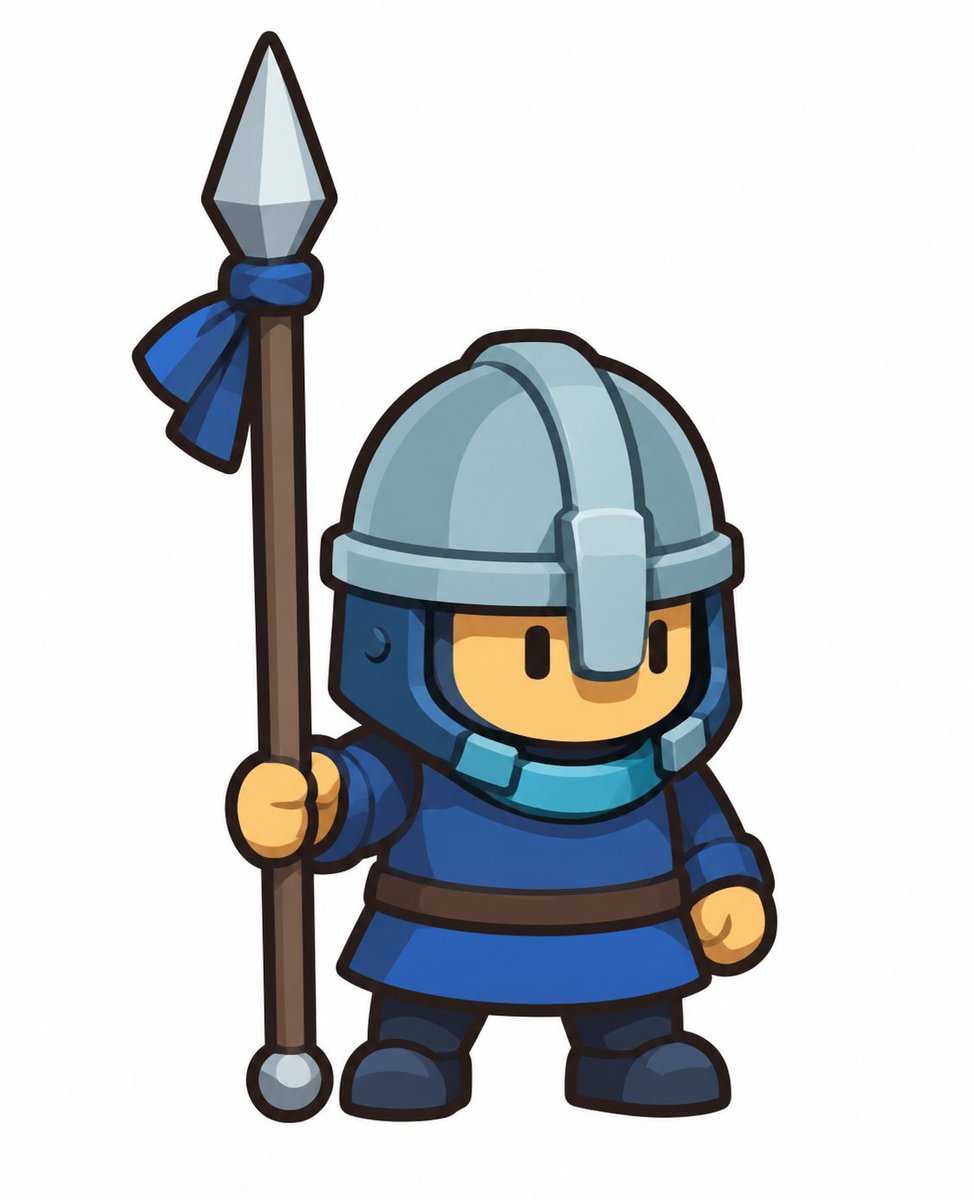
最好就是游戏实际使用的角色造型,因为接下来整个动作生成都会以这张图片作为视觉参考。
第二步:使用 Seedance 生成动作视频
然后进入 Seedance。
把你的角色图片作为参考图,再输入动作 Prompt。
``` Use the provided character image as the exact character reference. Create a clean 2D sprite animation for frame extraction. Create one animation sequence containing 4 motions in this order: Idle → Walk → Run → Attack. This should be a raw animation test only. Only animate the character and the physical spear. No visual effects, no stylized motion graphics, and no post-processing. The character is a long-spear guard. Keep the spear and character design unchanged. Motion sequence: 1. Idle Start with a short idle motion. Use subtle breathing, a small body bob, slight spear sway, and tiny ribbon movement. Keep the stance stable and grounded. 2. Walk Then transition into a readable in-place walk cycle. Use alternating leg steps, a gentle body bounce, mild upper-body movement, and natural spear movement. Keep the motion steady and controlled. Return briefly to idle. 3. Run Then transition into a clear in-place run cycle. Use faster leg motion, a stronger body bob, and slightly more active upper-body movement. Keep the spear stable and readable. Return briefly to idle. 4. Attack Then perform one clean forward spear motion. The character must hold the spear with BOTH HANDS during the entire motion. Start from idle, pull the spear slightly backward, then move the spear forward once in a clean direct motion. Then pull the spear back and return to the exact idle pose. Hold the idle pose briefly at the end. This is not a ranged action. Do not fire, shoot, launch, emit, or release anything. The spear tip must always stay attached to the spear. Strictly do NOT add: - no glow - no light streaks - no slash arcs - no trails - no afterimages - no motion blur - no speed lines - no impact flashes - no particles - no sparks - no smoke - no magic - no extra drawn lines - no smear frames - no motion smears - no exaggerated animation streaks - no trailing spear shapes - no extra highlight effects - no projectile - no bullet - no flying object Every frame must show only the normal character and the normal physical spear. Do not draw any extra shapes in front of or around the spear. No special lighting changes during the forward motion. Keep the design unchanged: same helmet, same blue ribbon, same clothing, same proportions, same colors, same thick black outlines, same long spear, same 2D illustrated game-art style. For sprite extraction: - fixed camera - fixed 3/4 front view - full body visible - character centered - same size in every frame - feet stay near the same ground position - no camera movement - no zoom - no rotation - no turning around - no walking forward across the screen - no jumping - no extra characters Use a plain solid bright green background. No text, no UI, no scenery, no extra objects. Start and end with the exact same idle pose. ```
这里其实不需要使用最贵的模型。我测试下来,直接使用比较便宜的 Seedance 2.0 Mini 就已经可以。
我一般设置:8 秒视频,一次生成 4 个动作:
Idle Walk Run Attack
整个成本不到 1 美金。
相比不断抽角色 Sprite,我反而觉得这个成本非常值得。
因为视频模型对于“连续的人体动作”理解,目前明显比直接生成 Sprite 动画稳定。
特别是攻击动作。
你不是让 AI 去猜:
“第 1 帧应该怎样、第 2 帧应该怎样、第 3 帧应该怎样。”
而是先让视频模型完整地做一次动作。
这点非常重要。
第三步:用 Codex + FFmpeg 拆帧
视频生成完成之后,把视频丢回 GPT Codex。
然后直接叫 Codex 使用 FFmpeg 帮你把视频拆成图片帧。
如果电脑第一次使用 FFmpeg,也不用自己研究怎样安装。
直接告诉 Codex:
“帮我安装 FFmpeg,然后把这个视频拆帧。”
就可以了。
拆完之后,你会得到大量连续图片。
例如:
frame_001.png frame_002.png frame_003.png frame_004.png ...
这时候,视频动作实际上已经变成了一套完整的角色动画素材。
第四步:挑选真正需要的帧
接下来就看你的游戏每个动作准备使用多少帧。
我的游戏目前一个动作使用 12 帧。
所以我会从拆出来的大量帧里面,把重复的、动作变化太小的、姿势不够好的图片删掉。
最后每一个动作只留下最好的 12 帧。
例如:
Idle → 12 Frames Walk → 12 Frames Run → 12 Frames Attack → 12 Frames
其实这一段反而是整套流程里面非常重要的一步。
因为视频可能有 30 帧、60 帧甚至更多,但游戏根本不需要那么多。
我们需要的不是“所有帧”。
而是:
最能够表达这个动作的关键帧。
删掉多余帧之后,动画会更加干净,也更容易控制节奏。
第五步:使用 generate2dsprite Skill 合成 Sprite Sheet
最后一步就非常简单了。
把刚才整理好的动作帧交给另外一个 Skill:(如果没有安装过,直接叫Codex帮你安装, Github 网址 : https://github.com/0x0funky/agent-sprite-forge/tree/main/skills/generate2dsprite )
generate2dsprite
然后直接叫它:
“帮我把这些动作帧合成 Sprite Sheet。”
它就可以把 Idle、Walk、Run、Attack 的图片自动整理成游戏可以使用的精灵图集。
到这里基本就完成了。
整个流程就是:
角色原图
↓
Seedance 生成动作视频
↓
Codex + FFmpeg 拆帧
↓
筛选最佳动作帧
↓
Codex + generate2dsprite 合成 Sprite Sheet
↓
导入 Godot / Unity
以前我们生成游戏角色动画的思路,通常是:
直接让 AI 生成 Sprite。
但现在我的思路开始改变了。
我反而觉得:
先让最擅长“动作”的视频 AI 负责动作,再让工具把视频转换成游戏素材,成功率会高很多。
每一种 AI 做自己最擅长的事情。
Seedance 负责:
动作。
FFmpeg 负责:
拆帧。
Codex 负责:
自动化整个处理流程。
generate2dsprite 负责:
整理成 Sprite Sheet。
最后游戏引擎负责:
播放动画和添加特效。
这样整个流程反而非常顺。
这应该是我目前尝试过各种 AI Skill 之后,生成 2D 游戏角色动作最满意的一套方案。
尤其是带武器角色,如果你已经被各种 Prompt、参数、抽卡折磨到怀疑人生,可以试一下这个方法。😂